
What it is
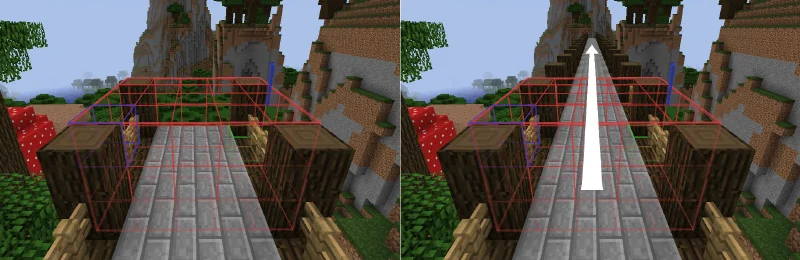
WorldEdit is a map editor that runs inside the game. You select a region, then run commands to fill it, replace blocks, copy and paste, rotate, brush or generate shapes. A command such as //set takes a pattern, so one line can fill an area with a weighted mix of blocks.
It saves builds as schematics in the Sponge .schem format, which you can paste in another world, on another server or with other tools. It works on Java Edition only: not on Bedrock Edition and not on Realms.
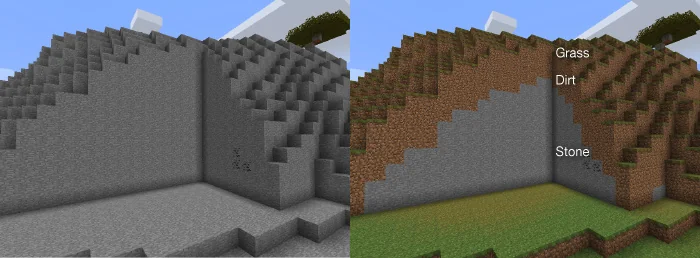
Before
After
//replace with a weighted pattern turns a plain wall into an aged one.Drawn by BlockLabWhat makers use it for
- Fill or replace a large area with a block mix, for example
//set 50%stone_bricks,30%cracked_stone_bricks,20%mossy_stone_bricks. - Copy a build and paste it somewhere else, rotated or flipped, or save it as a schematic to share.
- Paste a schematic made elsewhere, such as one exported from BlockLab's Gradient page or from VoxelVision.
- Shape and smooth terrain with brushes, and generate spheres, cylinders and other shapes.
- Fix mistakes and griefing on a server.
When to pick it
- You build on a Java server or in single player and want fast bulk edits you can type, repeat and script.
- Your server runs one of the platforms the developers support: Paper, Spigot or Bukkit, Fabric, NeoForge or Sponge.
- You want the tool most other building plugins and guides assume.
When another tool fits better
- You want to sculpt and see the result live, with tools that feel like 3D software: Axiom.
- Many builders edit a big server at once: FastAsyncWorldEdit does the same work asynchronously and adds per-player limits.
- You play on Bedrock Edition or Realms: WorldEdit does not run there.